Keep your everyday pages close.
Pin a page, arrange your favorites, and find your frequent sites in one quiet shelf.
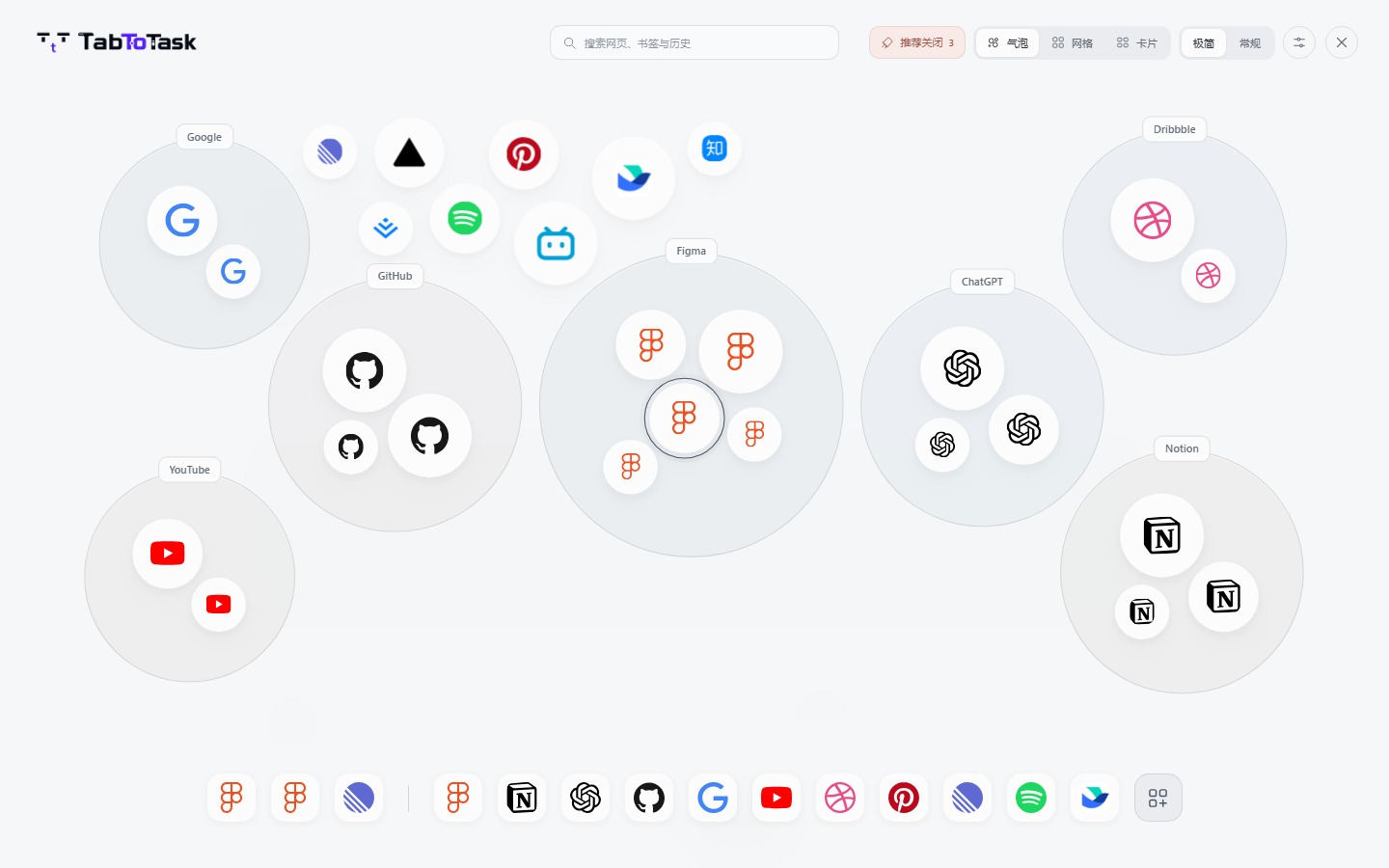
 Minimal
A little clarity for your browser
See what’s open. Find your place. Get back to it.
Use Alt on Windows or Option (⌥) on Mac. Both open the same Quick Access view.
For desktop Chrome · Standalone preview release
The actual product, with sample tabs
A familiar icon. A little space. The page you were looking for.
It appears when you need it and leaves room for everything else.
Hold to peekRelease within two seconds to return to your page.
Hold a little longerKeep the overview open. Press Alt again or Esc to close.
Prefer your mouse?One middle click opens it. Another closes it.
The small things you do all day, brought a little closer.
Pin a page, arrange your favorites, and find your frequent sites in one quiet shelf.
Find open tabs, history, bookmarks and saved sites together. Search suggestions stay on your device.
Bookmark access is optional.Three views. Four quiet color palettes. Adjustable blur, opacity and titles.
Review suggested tabs to close, act when you’re ready, and undo a batch. Active pages, editing, audio and other uncertain cases are protected.
The product film is being prepared. Explore the views above in the meantime.
Preferences, pinned websites and collections stay on your device. Export collections, pins, appearance and page shortcut settings together in one full backup.
Read how data is handledThis is a standalone preview for desktop Chrome. Install it from the local package with Developer mode. A Chrome Web Store listing is not available yet.
Installation guideThe website shows real prototype captures with sample pages. It does not access your browser tabs. Once installed, the extension shows the pages you actually have open.
The overlay works on ordinary HTTP and HTTPS pages. Chrome’s protected internal pages cannot host it; use the extension’s toolbar button to open the separate view.
Update the same installed extension in the same folder and use Reload. Do not uninstall or clear extension storage. Export a full backup from Collections → Data before changing installations; browser profiles and devices do not sync automatically.
The page you need is already open.